Voice logger and daily tracker for iPhone: Say it once.
Every tile fills.
One Logger is a daily logger and tracker for iPhone, for anyone who would rather talk than type. Say what happened, and water, money, sleep, mood and the rest each land in their own tile.
Free, no account
Water, money, sleep, mood and 8 more kinds of things
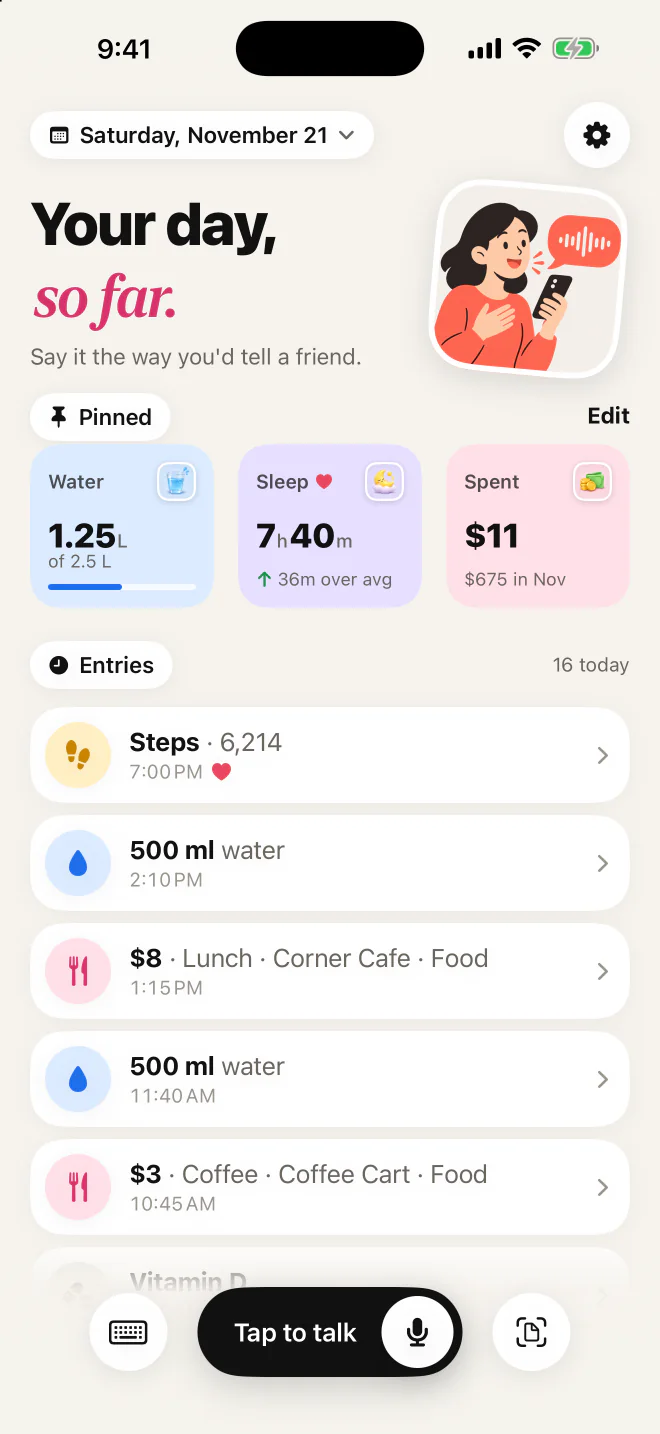
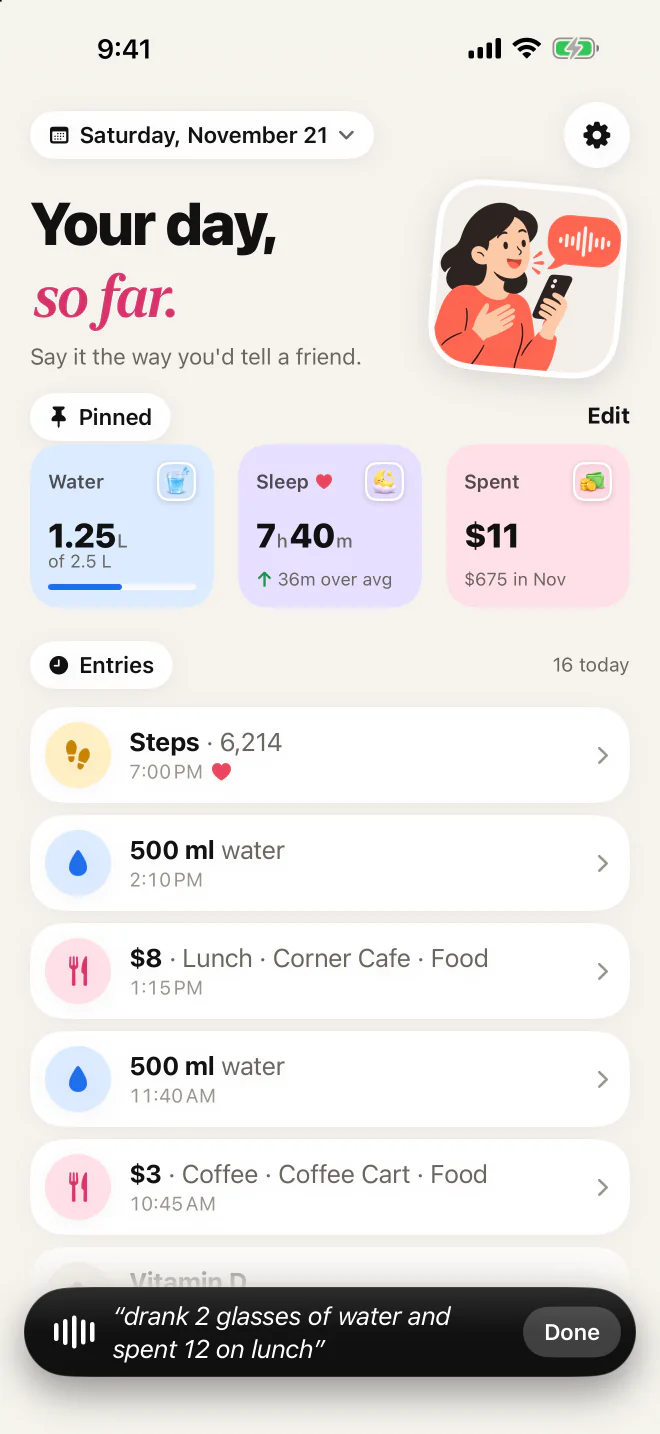
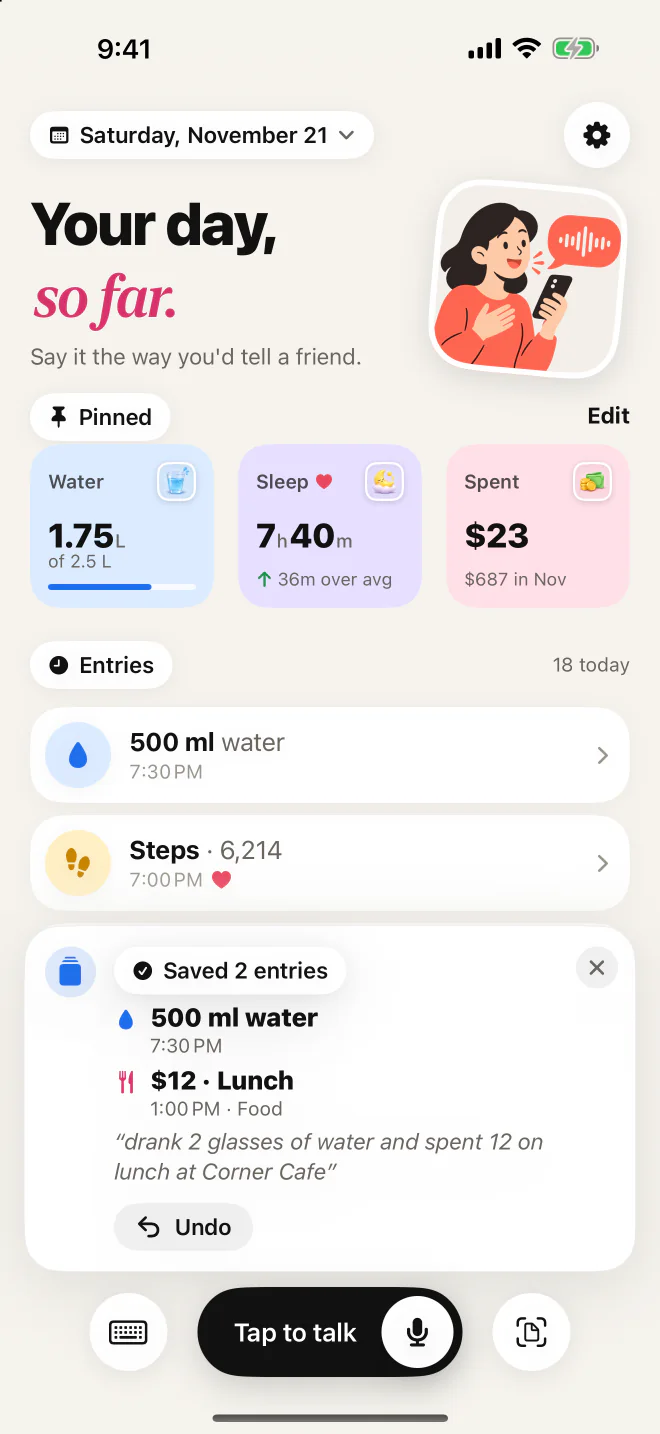
A day in One Logger: saying “drank 2 glasses of water and spent 12 on lunch” adds 500 ml to Water (1.25 L becomes 1.75 L) and $12 to Spent ($11 becomes $23), and asking “How much did I spend this week?” answers $332.50.
 “two glasses of water”
 “had oatmeal with berries, 350 calories”
 “spent $18 on groceries”
 “slept 11 to 7”
 “yoga for 40 minutes”
 “8,200 steps today”
 “mood 4 out of 5”
 “took vitamin D”
 “blood pressure 118 over 76”
 “meditated 10 minutes”
 “buy eggs and spinach”
- “note: paint the hallway green”
 “How much did I spend this week?”
- “remind me to call Mom at 7”
- “How did I sleep last night?”
- “took vitamin D and a multivitamin”
- “How much water today?”
- “remind me to water the plants every Sunday”
- “feeling great, mood 4 out of 5”
- “How was my day?”
- “remind me to drink water every 2 hours”
Say it once
One sentence.
Three entries.
Say several things in one breath. Each one is filed on its own, in its own place and at its own time, and a card shows what was saved, with Undo and Edit.
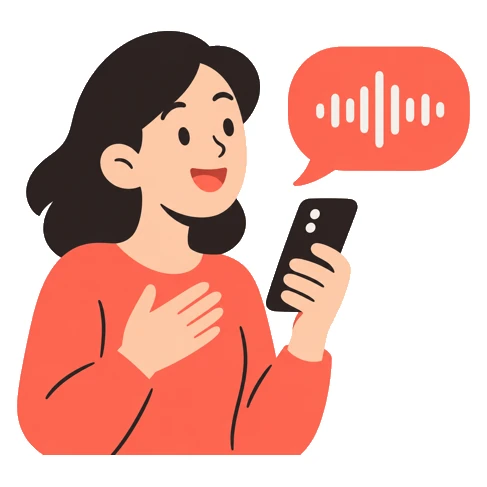
“drank two glasses of water, spent $12 on lunch, walked 30 minutes”
500mlwater
Water
$12Lunch
Spent · Food
30minwalk
Movement
What you can log
Twelve kinds of things. One tile each.
Water, food, money, sleep, workouts, mood, medicine and more, each with its own colour, screen and charts. Name anything else and it becomes its own tracker.
500ml
- 500 ml water2:10 PM
- 500 ml water11:40 AM
- 250 ml water7:30 AM
Water and drinks
“two glasses of water”
Two glasses become 500 ml, and the water you log goes to Apple Health too.
350cal
Food and meals
“had oatmeal with berries, 350 calories”
$18
- $8 Lunch · Corner Cafe1:15 PM
- $3 Coffee · Coffee Cart10:45 AM
- $18 Dinner · Noodle BarYesterday
Money in and out
“spent $18 on groceries”
Spending by category and shop. Money that comes in is Income, kept apart.
8h
- 7h 40m Last night11:20 PM to 7:00 AM
- 6h 45m Thursday11:45 PM to 6:30 AM
- 7h 20m Wednesday10:50 PM to 6:10 AM
Sleep
“slept 11 to 7”
Say it, or let it come in from Apple Health. Every night gets its own chart.
40min
Movement
“yoga for 40 minutes”
8,200steps
Steps and weight
“8,200 steps today”
4/5
Mood
“mood 4 out of 5”
1taken
Medicine and supplements
“took vitamin D”
118/76
Health readings and symptoms
“blood pressure 118 over 76”
10min
Habits with streaks
“meditated 10 minutes”
2to get
To-dos, reminders and lists
“buy eggs and spinach”
Notes and links
“note: paint the hallway green”
Anything that fits nowhere is kept in Others, word for word.
Ask
Ask in plain words.
Ask “How much did I spend this week?” and One Logger answers straight away, out loud if you like. Ask “How was my day?” for a summary, one line for each kind of thing you logged, with totals.
- “How much did I spend this week?”
- “How did I sleep last night?”
- “How much water today?”
- “How was my day?”
Tap the date at the top to look back at any past day.
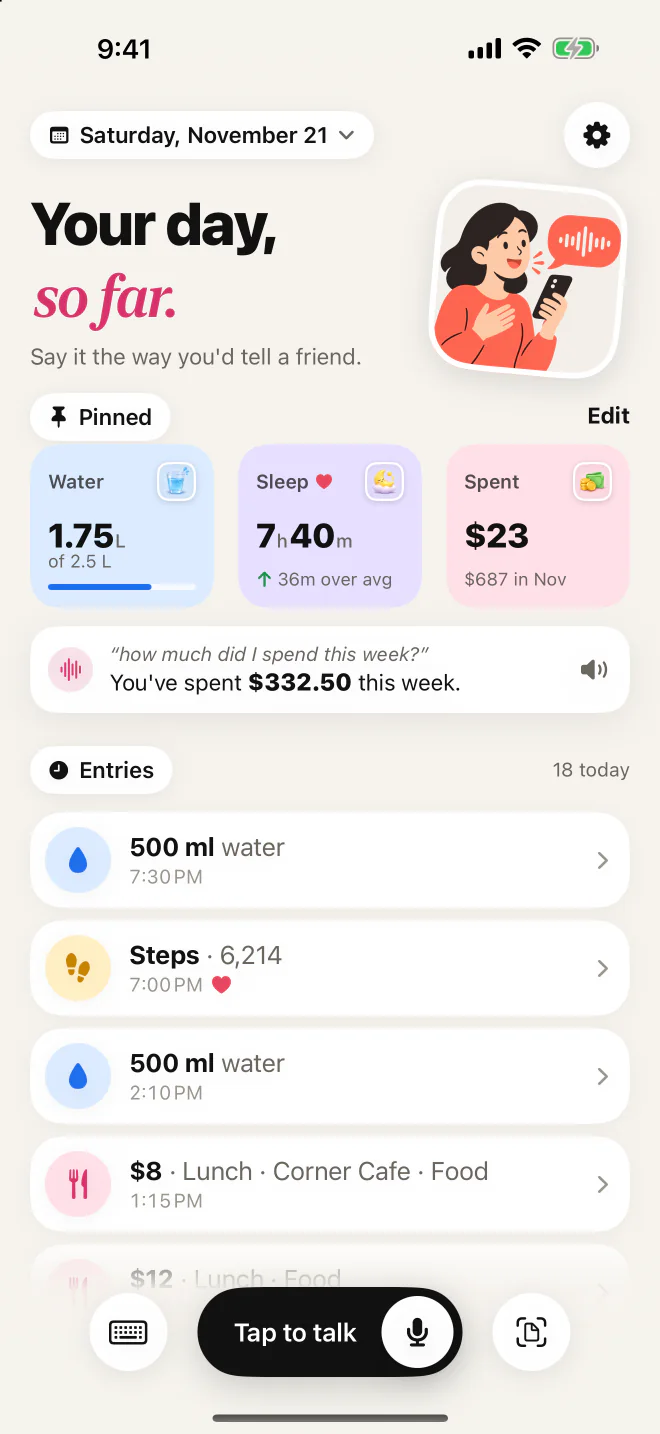
Tap any tile for its charts.
By the week, the month or the year.
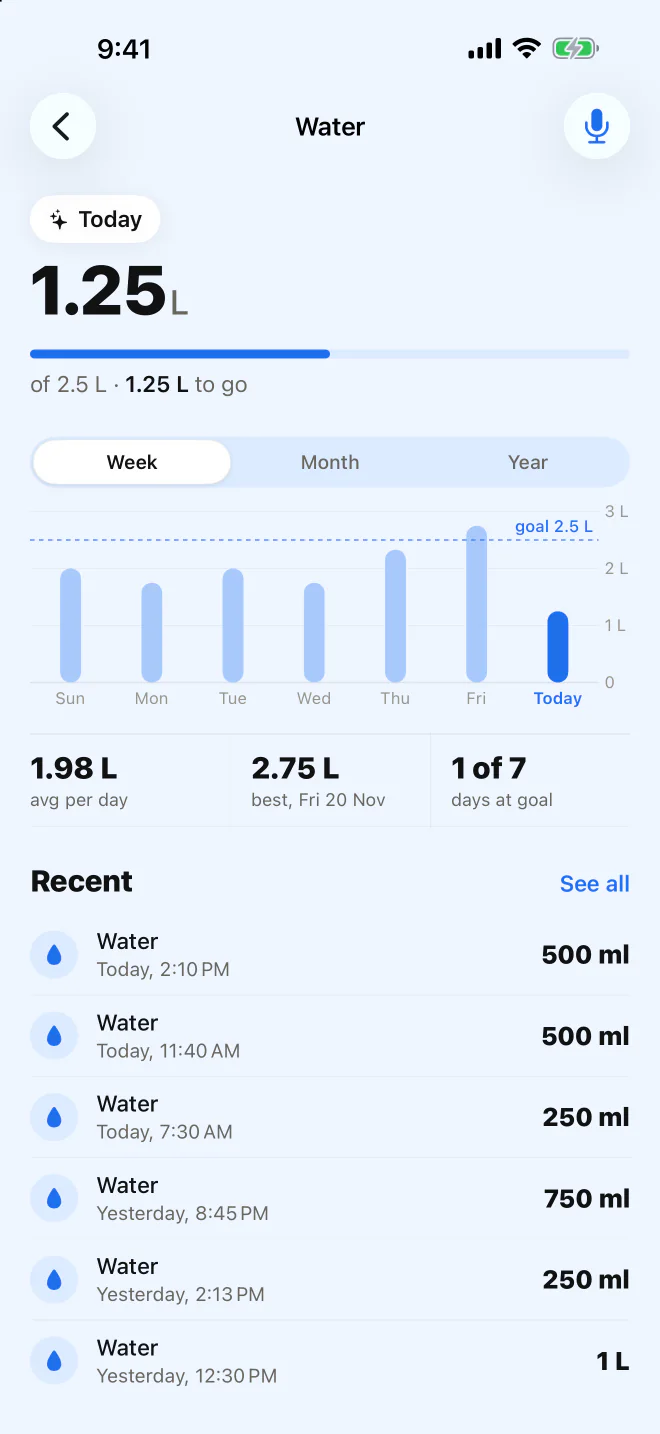
Water
Every glass, by the day
Today against your goal, then the week, the month or the year.
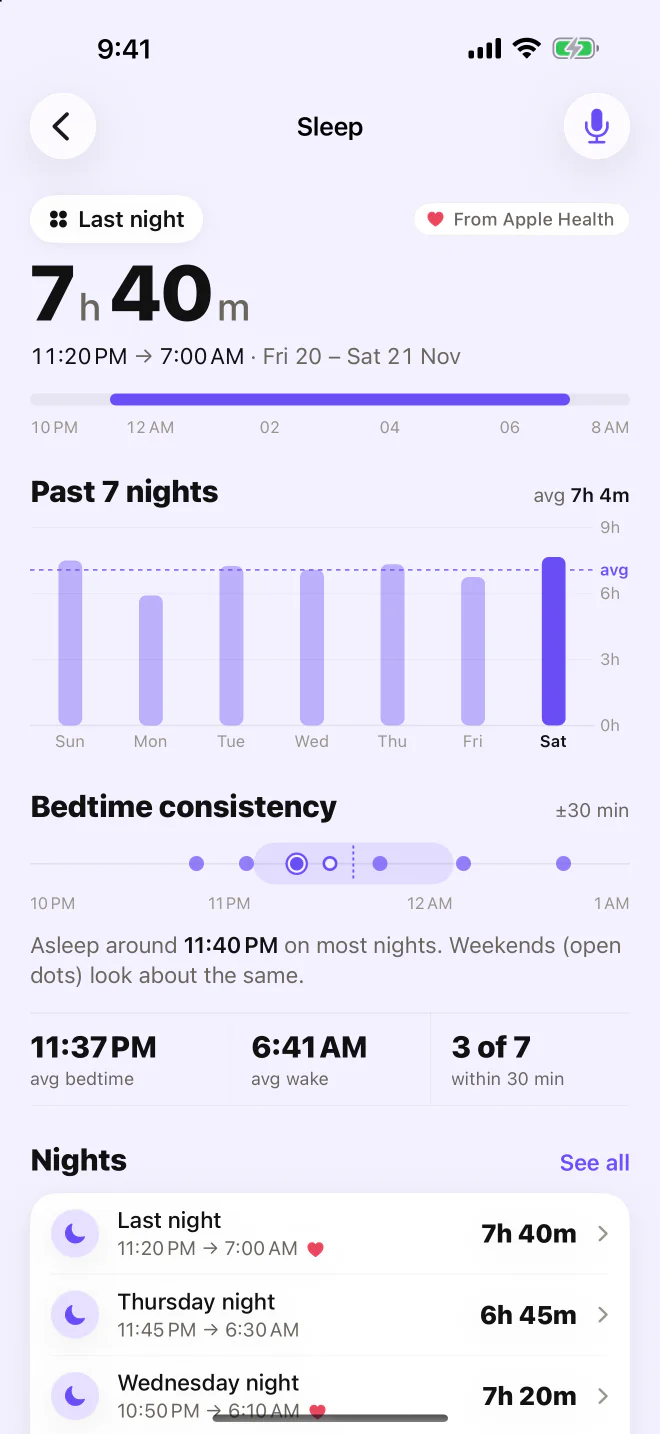
Sleep
Last night and the nights before
Sleep comes in from Apple Health, with your usual bedtime.
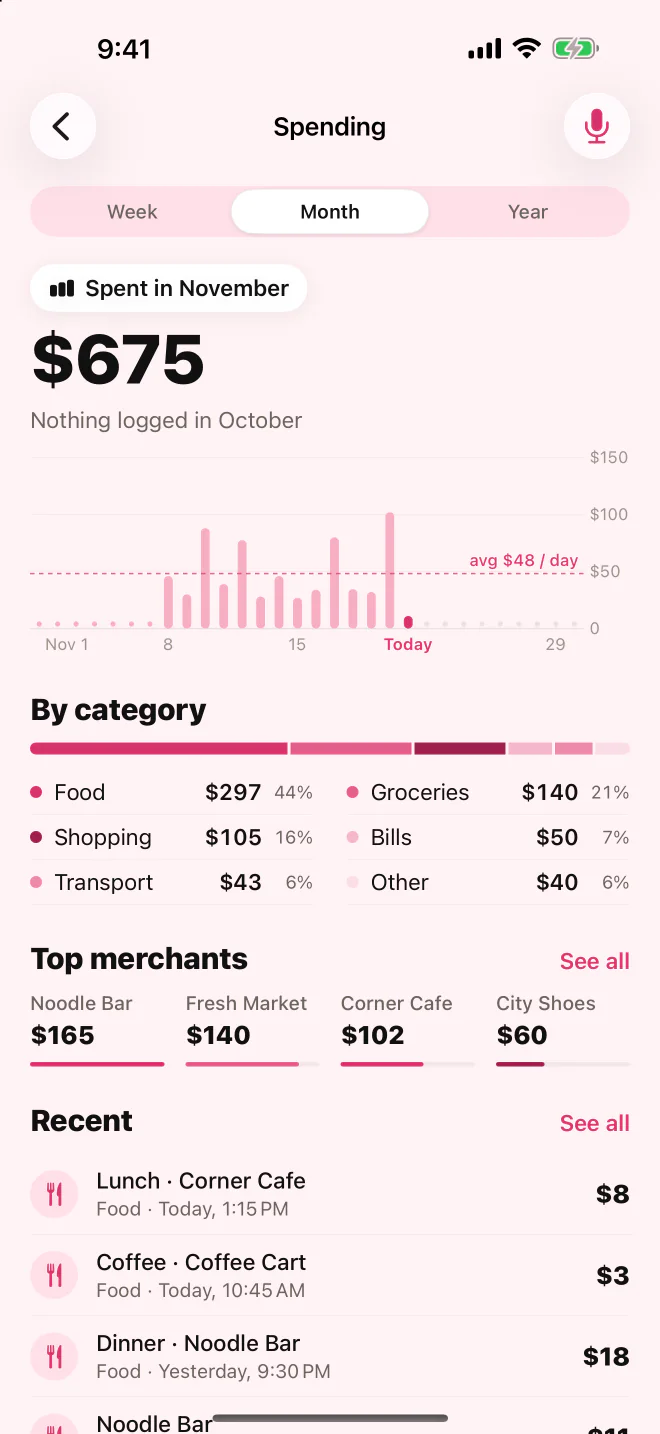
Spending
Where the money went
By day, by category and by shop, for the month you pick.
Lists and reminders
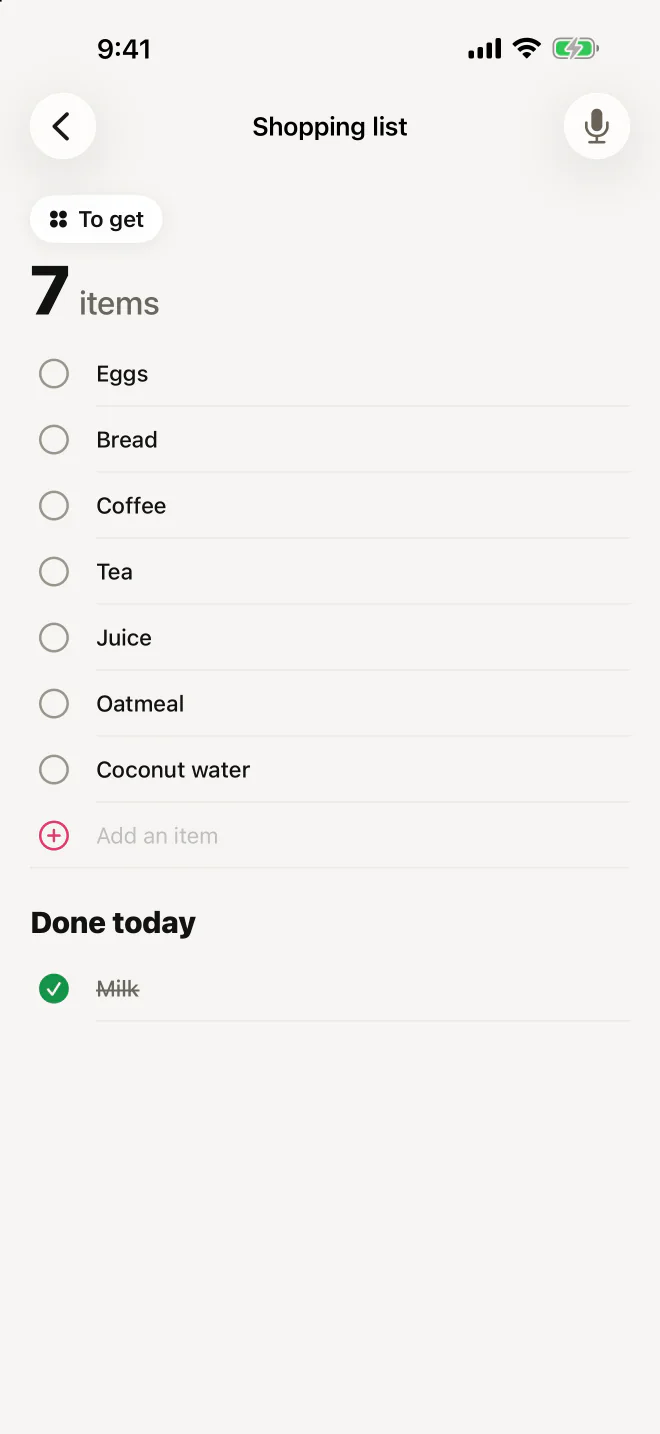
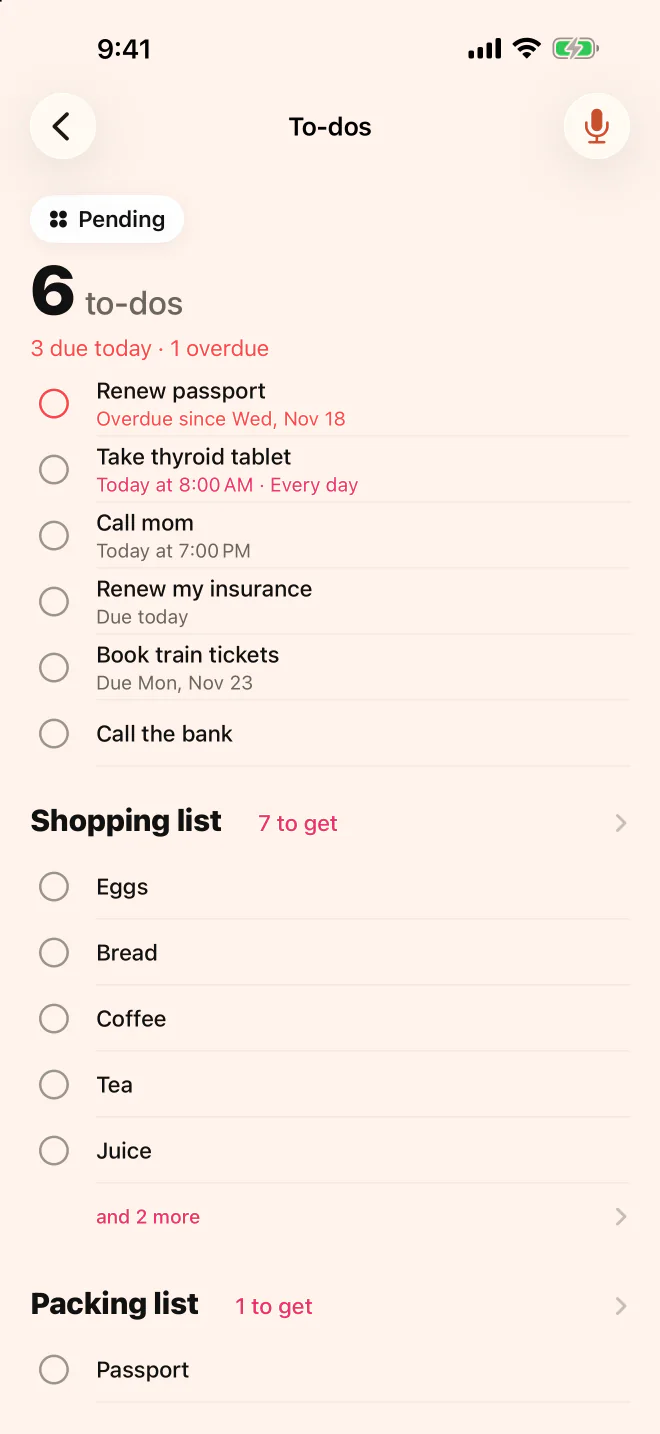
Say it, and it’s on the list.
- To-dos with due times. Say “remind me to call Mom at 7” and you get an alert at 7.
- Repeat every day, on chosen weekdays, every month or year, or every few hours.
- Mark a to-do Done or Snooze it right from the notification.
- Shopping lists, notes and links live here too.
Scan a bill
Point at a receipt. The spending is logged.
Use the camera or a photo of a receipt, check the items and the total, then tap Done.
From Apple Health
- Sleep
- Steps
- Workouts
 Weight
To Apple Health
- Water
Apple Health
Works with Apple Health.
Sleep, steps, workouts and weight come in on their own, and the water you log goes back. Readings from Apple Health don’t count toward the free daily limit.
Privacy
Private, on your iPhone.
No account, and nothing you log is uploaded. One Logger works out what you said right on your iPhone, and your log stays there unless you export it.
No account
Open the app and talk. There’s nothing to sign up for.
Understood on your iPhone
One Logger works out what you said on the device, with Apple Intelligence where it’s available and built-in rules everywhere else.
Nothing you log is uploaded
Your entries stay on your iPhone unless you export them, as a CSV file or to your own Google Sheet, using a permission that only reaches the files One Logger creates.
Anonymous usage counts only
The app counts how its features are used, anonymously. These counts aren’t linked to you, and there’s no tracking.
What is One Logger?
One Logger is an all-in-one daily logger and tracker for iPhone that you fill by talking or typing. Say what happened, like “drank two glasses of water, spent $12 on lunch, walked 30 minutes”, and it saves each one in the right place, at the right time, and charts it.
Can I type instead of talking?
Yes. Tap the keyboard button and type the same sentence.
Can I ask questions about what I logged?
Yes. Ask “How much did I spend this week?”, “How did I sleep last night?” or “How was my day?” and One Logger answers right away, out loud if you like. Tap any tile for charts by week, month and year, or tap the date to look back at any day.
Is One Logger free?
One Logger is free to download and lets you log up to 10 entries a day; Apple Health readings and samples don’t count. One Logger Pro adds unlimited entries, CSV export and import, and Google Sheets export: $19.99 a year with a 7-day free trial, $3.99 a week, or $29.99 once for lifetime (US App Store prices).
Do I need an account? Is my data uploaded?
No account. One Logger understands you on your iPhone, with Apple Intelligence where it’s available and built-in rules everywhere else. Nothing you log is uploaded unless you choose to export it. The app sends anonymous usage counts that aren’t linked to you, and there’s no tracking.
Which languages does One Logger speak?
English, Spanish, French, German, Japanese and Portuguese. Speak in your language and One Logger translates it on your iPhone with Apple’s Translation, then answers in your language.
Start with one sentence.
Free to download, no account. Say what happened and watch it land in its tile.
Download One Logger on the App Store